FAH and SMP How-To
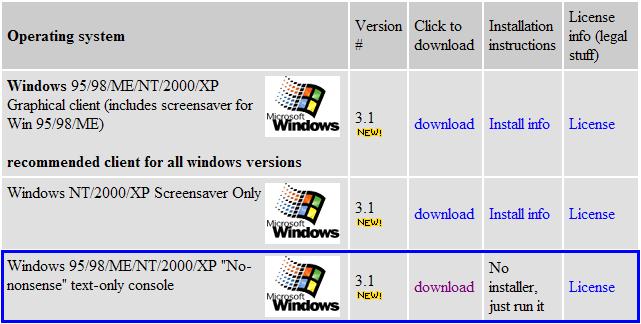
First you need the client.
Download it here.
You will want to grab the "no-nonsense" console version.
Then you will need two directories on your hard drive, or
four, if you are a four way kind of person.
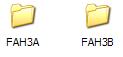
Put a copy of FAHConsole.exe into each directory.
You must do the following steps in both directories.
- Right Click on the FAHConsole.exe and drag it to an
open space in the directory. Select Create Shortcut here.
- Right Click on your new shortcut and choose properties.
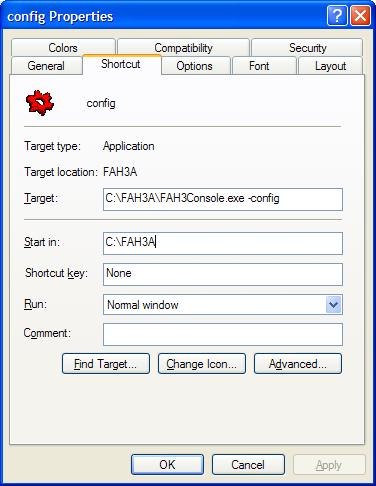
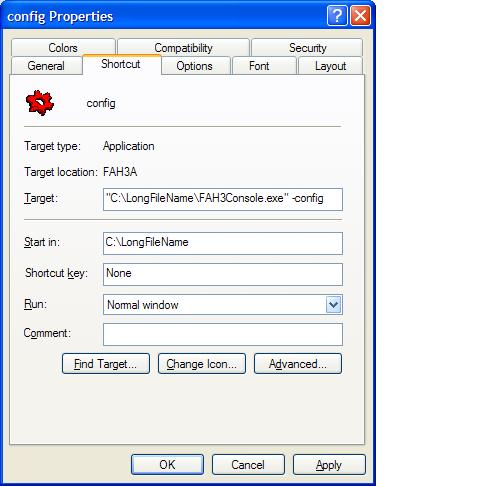
- Add a "-configonly" switch to the end of the command line
in the target field. If the path to your FAHConsole.exe doesn't contain any
long file names then there will be no quotes in the command. If the path does
contain long file names then there will be quotes around the drive:\path\exe
command. Place the "-configonly" switch one space outside the quotes in that case.
Here are examples of how both should look:
- Click OK and then rename your shortcut (F2)
to config so you know what it does.
- Run your new config shortcut. To accept any of
the default answers just hit Enter.
- Input your name
- Input your team number
33 for [H]ard|OCP or 13854
for General [M]ayhem
- Answer: Launch automatically at startup? (Installs the client as a service) [Yes/No]
default is No
- Answer: Ask before sending/fetching work? [Yes/No]
default is No
- Answer: Use Internet Explorer Settings? [Yes/No]
default is No
- Answer: Use Proxy? [Yes/No] default is No
- Answer: Change Advanced Options? [Yes/No]
Choose Yes
- Set Client preference. [No-Pref/FAH/GAH] Default is no preference.
- Set the Core Priority. Default is idle.
- Set the CPU Usage. Default is 100.
- Answer: Disable highly optimized assembly code? [Yes/No]
default is No
- Answer: Ignore deadline information (mainly useful if system clock frequently has errors)? [Yes/No]
default is No
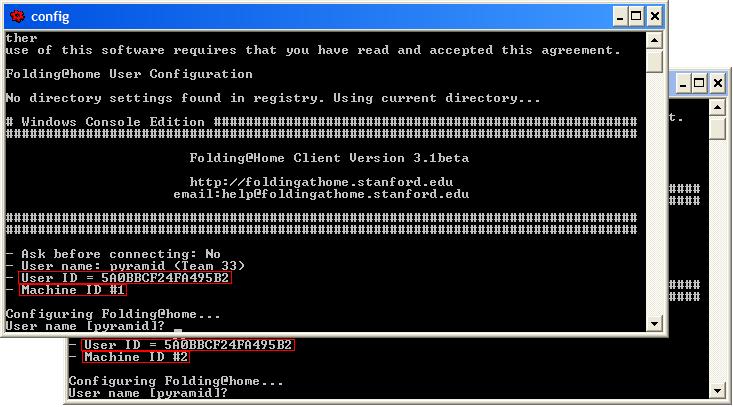
- Machine ID [1-4]: This is
where you designate your CPU IDs. 1=CPU1/Instance1 2=CPU2/Instance2 ...
Both instances of FAH will have the same Stanford
provided User ID number that the client gets from the server but the Machine
ID identifies different instances under the same User ID number, See the picture
below. This all may sound rather confusing and that is because the User ID
number should be called the Machine ID number and the Machine ID number should
be called the CPU ID number.
The most basic way to launch the clients would be to run them as services. That way they run even if no one is logged in.
OK, that should get you started, now go fold.